

Authentication
The Brandfetch MCP server uses OAuth. When you add the server, your MCP client opens a browser window where you sign in with your Brandfetch account. If you don’t have an account yet, sign up for free; the free plan includes 100 requests per month.My client doesn't support OAuth
My client doesn't support OAuth
If your MCP client doesn’t support OAuth, or you’re running in a non-interactive environment (CI, scripted agents), you can generate an MCP token in the Keys and MCP section of the Developer Dashboard and send it as a bearer token:Treat the token like a password: don’t share or commit it.
Setup
- Claude
- Claude Code
- VS Code
- Codex
- Cursor
- Windsurf
1
Connect the MCP server
In Claude Desktop or claude.ai, go to Settings → Connectors → Add custom connector and enter:
- Name:
Brandfetch - URL:
https://mcp.brandfetch.io/mcp
2
Allow network access for asset downloads (if available)
To download or embed logos and other brand assets, Claude’s code execution environment needs network access to Brandfetch’s CDN.If your plan offers it, go to Settings → Capabilities, enable network egress for code execution, and add
*.brandfetch.io to the domain allowlist. Availability of this setting varies by Claude plan. See Downloading brand assets for what happens without it.The interactive brand card
On MCP Apps hosts — claude.ai and Claude Desktop —get_brand renders a full brand profile directly in the conversation. Ask about a brand and the answer arrives as an interactive card:
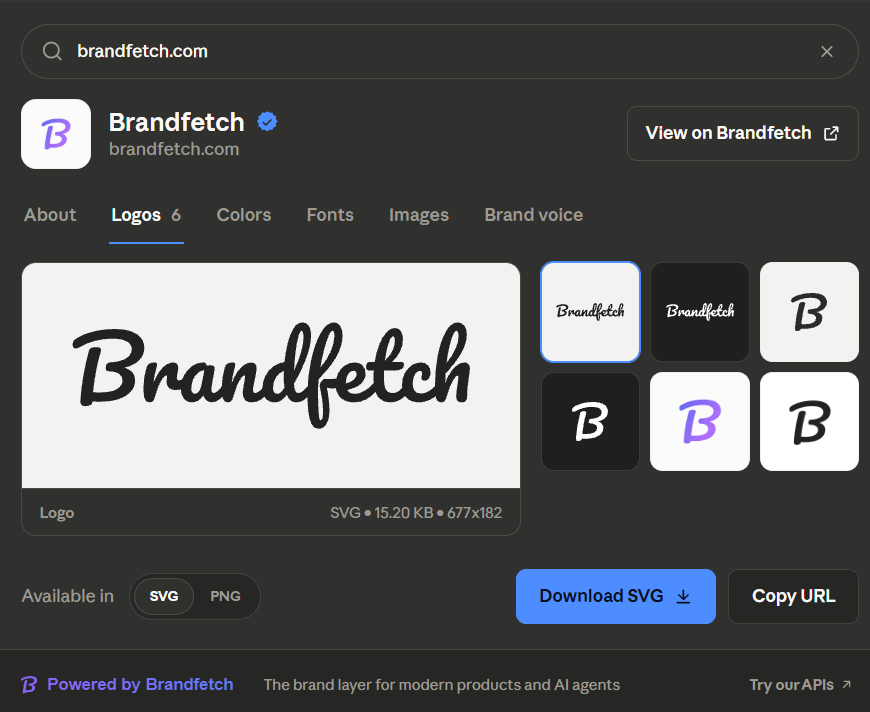
The brand card rendered by get_brand in Claude
- Six tabs. About (description, company facts, social links), Logos, Colors, Fonts, Images, and Brand voice — the same profile the Developer Playground shows, adapted to chat.
- Assets you can use immediately. Pick any logo variant, switch between its available formats, and download the file or copy a ready-to-use URL. Each asset shows its format, file size, and dimensions. Downloads from the card are handed straight to Claude — no network allowlist required.
- Search without leaving the card. Look up another brand from inside the card; the conversation follows, so “add that logo to the deck” always means the brand on screen.
- Opens on the right tab. Ask for a specific aspect — “Okta’s brand voice”, “Nike’s colors” — and the card opens directly on that tab.
- Native to Claude. The card follows Claude’s light and dark themes and typography, so it reads as part of the conversation.
get_brand returns the same brand data everywhere, and the card is a layer on top for hosts that support it. Already-connected clients pick up new capabilities after removing and re-adding the connector, since hosts cache a server’s tool list.
Available tools
Downloading brand assets
Downloading an asset for yourself is built into the interactive brand card: the Download button hands the file straight to Claude, with no network configuration needed. When your assistant needs actual image bytes — embedding a logo in a generated document (PPTX, DOCX, PDF), saving files to disk, or processing pixels — the reliable path is to fetch the credentialedsrc URLs returned by get_brand directly from its code-execution environment (curl, requests, fetch). That keeps image bytes out of the conversation entirely.
Note that URLs from build_logo_urls are display-only under the hotlinking policy and can’t be downloaded programmatically — always use the src URLs from get_brand, whose ?c= token carries per-request credentials.
If a generated document only needs to display a logo, it doesn’t need the bytes at all: reference the credentialed src URL directly (a linked image in PPTX, an <img> tag in HTML) and let the viewer fetch it. Clients that support MCP resource reads can also stream asset bytes out-of-band via the bf://asset/{domain}/{type} resource links returned by get_brand.
Usage and quotas
MCP requests count against your Brand API quotas. You can monitor your usage in the Developer Dashboard.get_brands uses batch lookups in the Brand API. Each brand it returns uses one API credit. Every other result is free. A brand that is not indexed yet is queued for indexing, so your assistant can ask for it again later. Batch lookups are available on paid plans and with prepaid credits. On the free plan, your assistant fetches brands one at a time with get_brand_data.